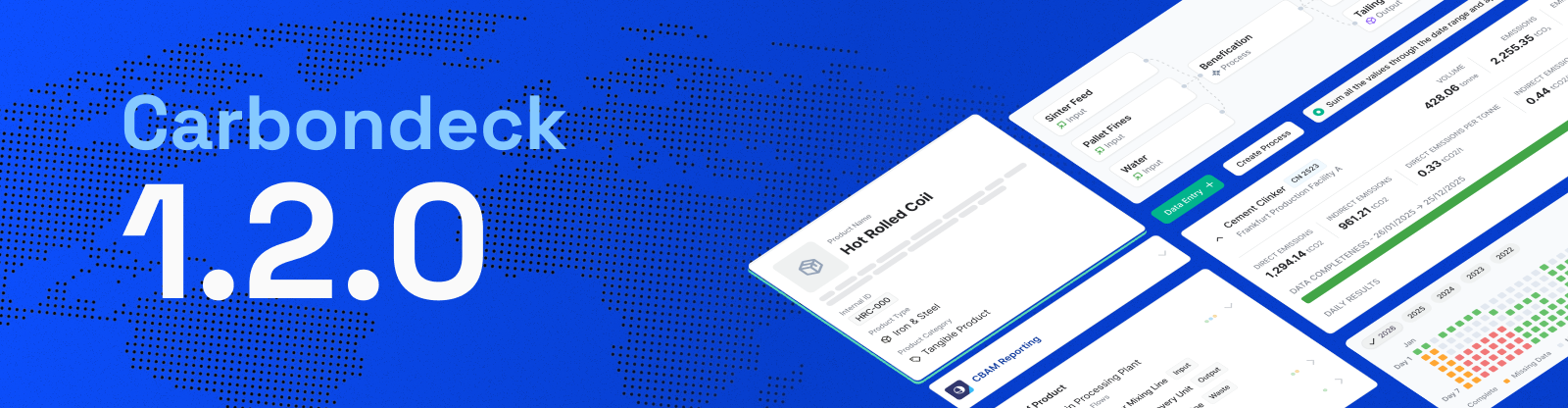
January 25th, 2026
New
Improved

This release introduces new improvements aimed at enhancing the overall product experience and refining existing workflows.
New Features
Xero and QuickBooks have been added as new integrators.
Feature Enhancements
Reduction recommendations are now displayed in line with the selected application language, in Turkish or English.
The supported limits for Smart Upload via Excel have been increased.
Organization creation limits across the system have been expanded.
January 12th, 2026
New
Improved

This release introduces new features to improve the overall product experience and enhances existing workflows.
Additional steps added to AI-based data entry
Data Review and AI Matching steps have been introduced for AI-powered data entries, enabling uploaded data to be reviewed and validated within the system.
Uyumsoft and İşnet integrators added to the system
With the addition of Uyumsoft and İşnet under the Integrations section, system-to-system data integration is now supported.
Improved editing and control experience in the AI-Matched Data flow.
The method selection in the Edit AI-Matched Data form is now always visible, with clear guidance provided to support users during the selection process.
Within the same flow, Custom EF behavior has been updated to align with the selected method (activity-based / spend-based).
In addition, the Custom EF creation form has been updated to align with the current product design.
Enhanced table usage and filtering capabilities in the Data Inventory module.
Bulk selection behavior in Data Inventory tables has been simplified, and status values have been added to filters, enabling status-based filtering.
Cells with missing information are now explicitly marked with a “Value missing” label.
Clearer status and context information in the Matched Data table
Emission Factor matching statuses have been simplified; “Failed EF Matched” has been updated to “Failed,” and “Waiting for EF Matching” has been removed from the list.
Matching progress is now displayed only when available.
Scope and sub-category information for each data point has also been added directly to the table.
Improved visibility of missing information in matched data
When a relevant source or emission factor cannot be found, this is now clearly indicated to the user both in the table and in the detail view.
Easier tracking of file statuses on the Uploaded Documents page
File status displays have been refined for clearer visibility, and status-based filtering has been added to support easier review.
Updated minimum selection rule for Offset SDG contribution
The minimum required selection for defining Offset SDG contributions has been reduced from 3 to 1.
CarbonX added to the Offset Registry list
CarbonX Provenance Standard (CPS) has been added to the registry field in the Offset Data Entry form.
December 23rd, 2025
Improved
Fixed

This release introduces several new features, language support, and interface improvements to enhance the overall user experience:
Turkish language support has been added to the Offset, Supplier Analytics, and Franchise Settings pages.
Number formatting (dot/comma) has been adjusted based on TR/EN language preferences across the platform.
In GHG Profile Management, both Spend-Based and Activity-Based calculation methods can now be selected across all categories.
As part of this update, a new field was added to the Manual Entry page to select the calculation type, and emission factors are now filtered accordingly.
SDG (Sustainable Development Goals) icons have been added to the Offset page.
The Supplier Analytics page now includes 3 new Key Insights and a sorting option in the data table.
A Market-Based / Location-Based filter has been added to all analysis pages.
A new structure has been implemented in the Results page to group data by category for improved readability.
Chart improvements have been made on the Performance Analytics page.
A new section showing the last 5 manual entries has been added to the Manual Entry page.
After a successful Standard Upload, a new modal now displays a summary of the uploaded data.
Enhancements were made for scanned PDFs in the AI-based Data Upload process.
A Formatting Guide has been added to the AI-based Data Upload page.
Extensive updates have been made to the Audit-Ready Report:
A new Formulas page has been added.
The Level of Assurance field is now available in the Uncertainty table.
Facility addresses and Base Year date are now included in the report.
The Market-Based / Location-Based distinction has been applied across all report outputs.
A custom name field can now be added to emission factors created under the Fuel Properties page for clearer reporting.
Various UI enhancements have been implemented across the platform.
Minor bugs have been fixed and overall system stability has been improved.
December 10th, 2025
New

The Offset Module is now live on Carbondeck!
This module allows you to define and track your carbon offset actions as part of your overall reduction strategy.
November 26th, 2025
New

The new Supplier Analytics page is now live.
It allows for more detailed analysis of supplier-related emissions.
November 18th, 2025
New
Fixed

This release includes several improvements across calculation, data upload, and AI-powered modules:
Supplier information is now optionally supported in both Standard Upload and Manual Entry processes for selected categories.
In the Emission Management → Results page, supplier selection is now optional when editing records.
Validation rules for reporting automation have been updated, and error messages are now more informative.
The AI-powered data extraction process is now more stable and generates more consistent results.
Records without a matched emission factor (EF) now appear under the Matched Data tab, allowing users to define custom EFs if needed.
The restriction on calculating for companies with over 20% share in Scope 3.15 Investments has been removed.
Reduction Recommendations are now based solely on the previous year.
A “Guidance” sheet has been added to the sample Excel files in Standard Upload, providing edit instructions in English or Turkish, depending on the application language.
UI improvements have been made throughout the platform.
October 30th, 2025
New
Improved
Fixed

This release brings multiple enhancements and bug fixes to improve platform usability and data integrity:
A new "Removed Data" page has been added under Data Inventory, allowing users to view and restore deleted records.
Added multi-select (checkboxes) for bulk deletion on the Results page.
Introduced Description Modal for footprint records with additional descriptions.
Added a new row to display biogenic emissions in tables.
Role-based access is now aligned with facility permissions.
A warning message "AI may make mistakes" has been added to tables generated via AI.
The title for Scope 2.2 has been updated to “Steam, Heat, and Cooling.”
Resolved an issue where calculated/not calculated data appeared empty on the Uploaded Files page.
Fixed multiple issues in Classic Data Entry, including:
Invalid end dates not being flagged
Letters entered into numeric fields not triggering errors
Unformatted or irrelevant Excel uploads not showing errors
Incorrect fields in category templates (3.3, 3.7, 3.9)
No error shown for future end dates
Fixed UI issues and visibility errors in Custom Entry, especially for users without assigned facilities.
Resolved unauthorized data visibility/editing for user roles without facility access in Results.
Corrected alignment, wording, and calculation logic issues in Target Settings and Reduction Recommendations.
Fixed the Delete button and UI issues on the GHG Profile Management page.
October 22nd, 2025
Improved
Fixed

This release includes several improvements designed to make your experience smoother and more intuitive:
You can now view the reason for failed file uploads via a tooltip by hovering over the file name.
When working with result tables, the first columns remain fixed while scrolling — making it easier to compare data.
The filter component has been improved for a faster and more seamless user experience.
When you delete a file, all records associated with that file are now automatically removed from the system.
In Audit Ready Reports, properties of fuel (POF) data are now directly displayed in the relevant table.
October 13th, 2025
Fixed

TR/EN language updates have been applied across new modules introduced with the AI Agents release and related pages.
Minor visual issues with no direct impact on usage were also resolved.
September 23rd, 2025
New
Improved

Refreshed Design System
We are rolling out a new design system across all Climateware applications. The updated style delivers a modern, consistent, and user-friendly experience, making workflows clearer and more efficient. Some components are still in early access, but the foundation is now set for a smoother product experience.
AI Agents Plan Launch
A new set of AI agents is now ready to take on complex carbon accounting tasks as part of your team:
Data Coordinator – Parses invoices, files, and utility data with high accuracy
Climate Analyst – Matches scopes and factors with zero errors
Reporting Officer – Instantly formats audit-ready reports
Impact Strategist – Tracks targets, flags anomalies, and recommends next actions
→ Explore the Plan & Subscribe